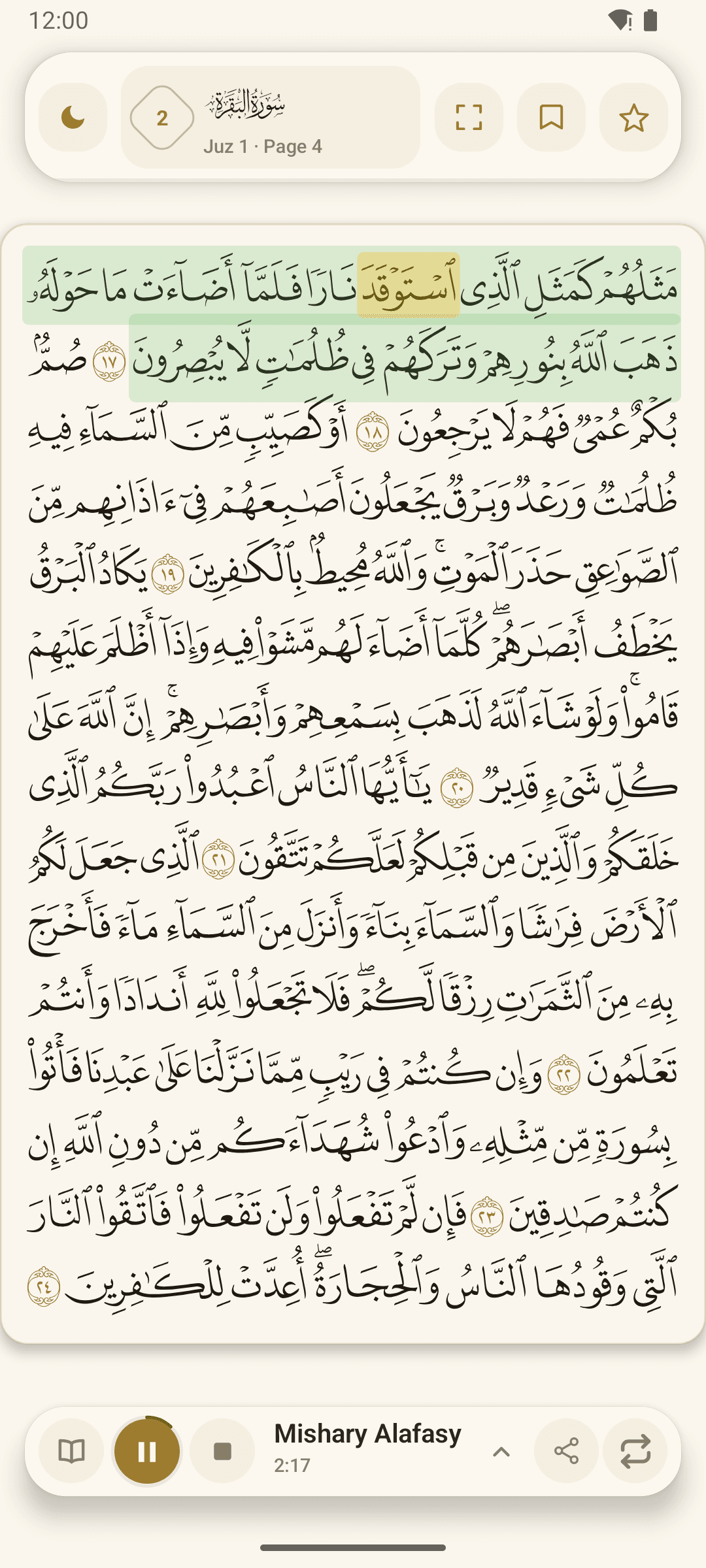
Listening while following the text offers another way to spend time with the Quran. A focused session can be as simple as choosing a passage, starting recitation and keeping the text in view.
Choose a passage and a reciter
Use Surah or Juz navigation to find where you want to begin. Open the available reciter selection and choose the voice you would like to listen to. Keep your volume comfortable and choose a setting where you can give the recitation your attention.
For a session that combines reading and listening, keep the Quran page visible. You can also explore the app’s card view if you prefer to focus on smaller portions of text.
Follow the text at its own pace
During supported playback, the app highlights words as the recitation continues. Use this as a guide to your place on the page. If you lose your place, pause and find the Ayah again before continuing.
There is no need to combine every tool in one session. You might listen through a passage first and then return to its translation, or read it before starting the audio.
Repeat with a clear purpose
The repeat controls let you return to supported content. Choose a small passage you want to hear again, and use the controls to revisit it without continually searching for the same place.
Before finishing, bookmark anything you want to return to. Listening and highlighting are useful companions for practice; personalised feedback from a teacher can help when you are working on your own recitation.