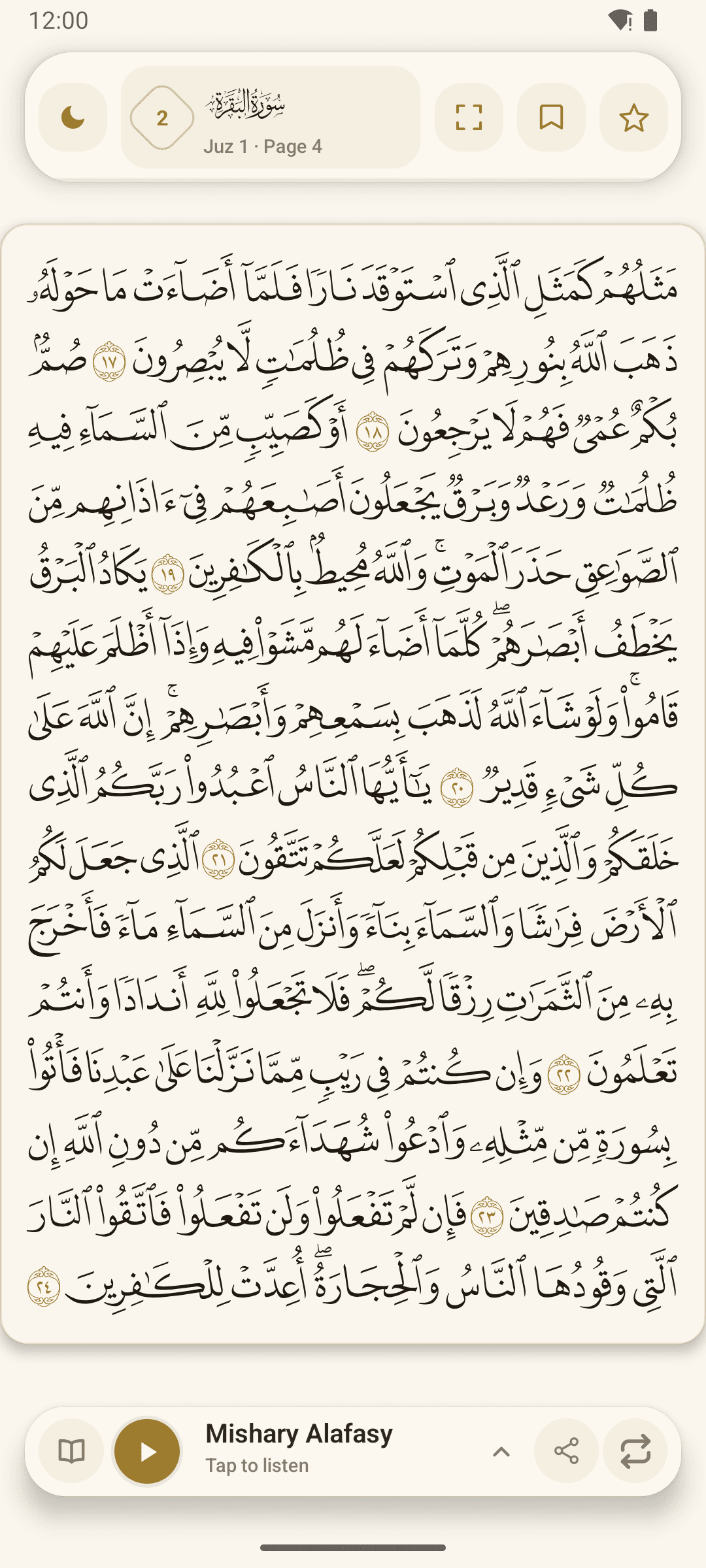
A Quran app should make the task you came for easy to begin. Before comparing long feature lists, decide whether you mainly want to read, listen, study meaning, revise Hifz or combine these activities. Then test how comfortably the app supports that purpose.
Check the Quran reading experience
Look for a script and page presentation that feel familiar. Text should remain clear at your normal reading distance, and navigation by Surah, Juz and Ayah should be easy to understand. Themes and night mode can help in different surroundings, while full-page or immersive modes can reduce distraction.
Use the app for a complete reading session before deciding. A polished opening screen matters less than whether you can find your place, read comfortably and return to the same passage later.
Review audio and learning tools
For listening, check how easily you can choose a reciter, pause playback and follow the text. Word or Ayah highlighting can help you keep your place when supported by the selected audio. Repeat controls are useful when you are revising or memorising a smaller passage.
For study, look at how the app connects an individual word, the complete Ayah translation and available Tafseer. Each layer serves a different purpose, so the interface should make it easy to return to the original passage.
Confirm support, privacy and official download details
Download through the official store listing and confirm the publisher and package name. Look for a support route where you can report an issue with your device, Android version and app version. Read the privacy information so you understand how the app and its website handle data.
Quran Mushaf: Read & Listen is published by therehanfoundation for Android. Its official package is com.mushafclassic.app, and this website links directly to the Google Play listing and support information.