PAUSE + READ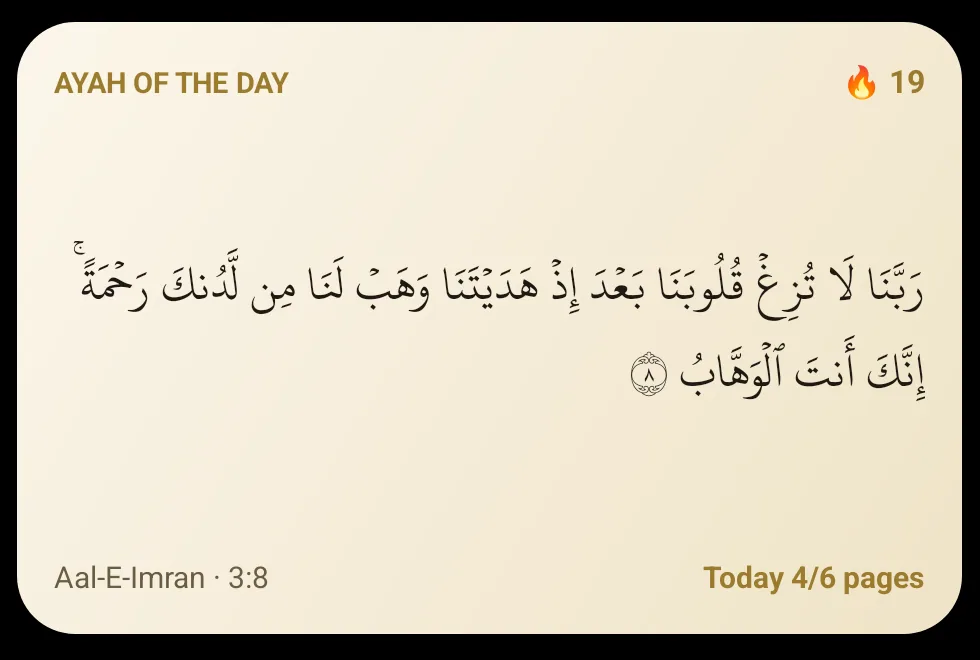
A widget puts an ayah on your home screen, so you see the Quran every time you unlock your phone. Here is how to add one in under a minute.
From inside the app
Open Quran Mushaf, go to Settings › Widgets and choose a widget. You will see a live preview in your current theme. Tap Add and confirm where to place it.
- Small: the Arabic of the ayah alone
- Medium: the ayah with its translation
- Large: word by word, mark the words you know
- Continue reading: your page, goal and reading week
From the home screen
Long-press an empty area of your home screen, tap Widgets, scroll to Quran Mushaf, then press and hold the widget you want and drag it into place.
Resize it
Long-press the widget and drag its edges. The text adjusts to each ayah so it is never cut off.
If the widget does not update
Some phones pause apps in the background to save battery. Open your phone's battery settings and allow Quran Mushaf to run in the background, then open the app once.
Put it into practice
See the Quran widgets